
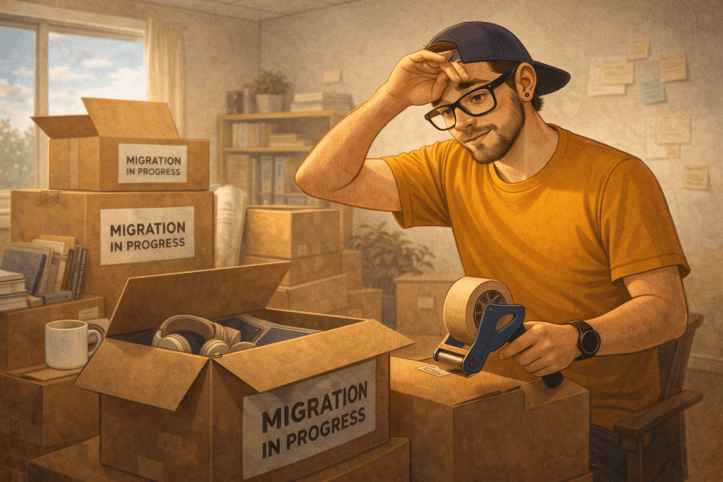
People don’t miss files. They miss familiarity.
That lesson took me a long time to learn.
I’ve lived through more SharePoint migrations than I can comfortably count. WSS to MOSS. MOSS to SharePoint 2010. 2010 to 2013. 2013 to 2016. And somewhere around that last jump, I migrated myself to the cloud with SharePoint Online and never looked back.
On paper, migrations are technical projects. Move content. Preserve permissions. Validate links. Done.
In reality, they are deeply personal events.
Every migration asks people to unlearn muscle memory. URLs change. Sync behavior changes. Navigation changes. Even the way a document opens feels different. What we see as progress, users experience as loss of control.
This is why resistance shows up even when the destination is objectively better.
When users say “the old system worked,” what they usually mean is “I knew how to survive there.” Familiarity feels safe, even when the system itself was slow, clunky, or full of workarounds.
I saw this play out repeatedly during the on-prem years. Classic mode everywhere. Customizations layered on top of customizations. Master pages, CSS injections, jQuery hacks. Entire sites held together by institutional knowledge and a few brave administrators.
Some of that still lingers today. Even now, certain areas like Site Settings quietly drop you back into classic mode. It’s a reminder that SharePoint didn’t reboot overnight. It evolved.
That evolution made migrations harder emotionally, even as they got easier technically.
Back in the SharePoint Server days, migrations weren’t abstract. They were events.
We planned migration weekends. Real ones. Freeze periods. Change windows. Rollback plans. Everyone knew when it was happening because it had to happen all at once.
Testing wasn’t optional. Training wasn’t a “nice to have.” If users showed up Monday morning and things didn’t work, there was nowhere to hide.
Looking back, those weekends forced us to do what I later learned was Organizational Change Management. We communicated early. We set expectations. We prepared people for what would feel different. Not because we were enlightened, but because failure was visible and immediate.
When migrations moved to the cloud and became more incremental, some of that discipline faded. The technology got better. The human preparation often didn’t.
I wrote about this earlier describing the day I stopped fighting SharePoint users. Change doesn’t fail because people resist it. It fails because we underestimate how much support familiarity actually provides.
Third-party tools saved me more than once. ShareGate, in particular, earned its place in my toolbox during some very long nights. Not because Microsoft tools were bad, but because migrations needed visibility, validation, and trust. Being able to show users what moved, what changed, and what stayed the same mattered just as much as moving the content itself.
Migrations also expose every design decision you made before. Bad information architecture becomes impossible to hide. Flat libraries suddenly feel overwhelming. Permissions that were “good enough” start breaking workflows.
I’ve already said SharePoint is a document library platform first and later that SharePoint metadata only works if people use it, but migrations make it impossible to ignore. You can’t migrate your way out of bad structure.
Permissions are another flashpoint. Migrations are often when users first realize how access actually works. What used to be implied becomes explicit.
I made this point in Day 7: SharePoint permissions are not governance, but migrations are where it becomes painfully obvious. Locking things down harder doesn’t build trust. It erodes it.
What changed when I moved fully into SharePoint Online was the pace of change. Things stopped happening in big, scary version jumps and started happening iteratively. Features evolved quietly. Interfaces shifted gradually. Microsoft Stream is a good example of this new rhythm. Change didn’t stop. It just became continuous.
That doesn’t eliminate fear of the unknown. It just spreads it out.
The mistake we still make is treating migrations as one-time events instead of change journeys. We announce dates. We promise smooth transitions. We underestimate how personal familiarity really is.
If you want a reminder of how many “next big things” didn’t survive these transitions, revisit Day 16: SharePoint features we thought would change everything. Migrations are where optimism meets reality.
People don’t miss files. They miss the confidence of knowing where they are, how things work, and what is expected of them.
Migrations don’t break trust because content moves. They break trust when familiar patterns disappear without explanation or support.
Once you see migrations this way, it becomes clear why so many post-migration environments feel tense. The work still needs to get done, but the safety rails are gone.
What comes next matters more than the move itself.
The rules you introduce after a migration can either rebuild confidence or punish people for trying to adapt.

This post is part of my 25 days of SharePoint series, created to celebrate SharePoint’s 25th anniversary and lead up to the SharePoint at 25 digital event on March 2.
Each post reflects on what actually made SharePoint last 25 years, the wins, the mistakes, and the lessons learned from building, breaking, and rebuilding it in real organizations.
You can find all posts in this series here.
If there’s a topic you think I should cover next, a SharePoint mistake you keep seeing, or a question no one ever answers straight, leave a comment. This series is shaped by real experiences, not marketing slides.
 Unsuck Microsoft365
[…] Nothing exposes weak structure faster than time or change. Every extra layer eventually comes back for inspection during testing and validation cycles. That reality shows up clearly when environments go through migration moments that feel more personal than technical. […]
LikeLike
[…] what we call modernization is really just migration, change management, and a lot of bruised egos. SharePoint migrations are emotional events. That still rings […]
LikeLike