
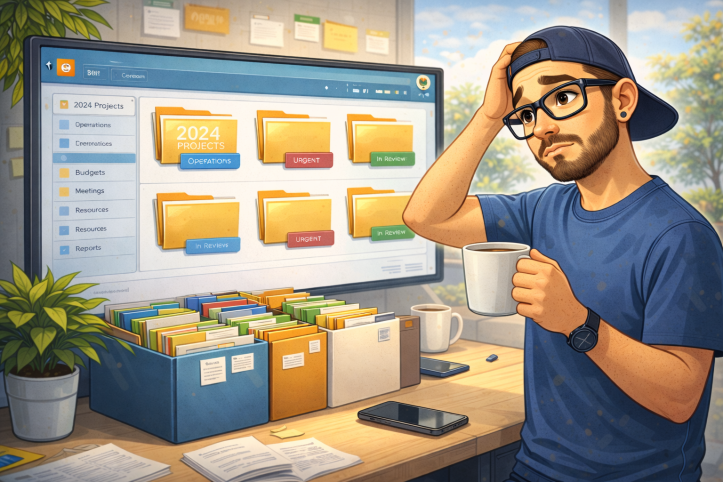
Folders have been blamed for almost every SharePoint failure I have ever seen.
Too many folders. Deep folders. Messy folders. Folder people versus metadata people. Entire wars have been fought over this.
And almost all of them miss the point.
Folders were never the problem.
Folders are just a visible symptom of something else going wrong. When people do not understand the structure, the purpose, or the ownership of content, they fall back to what they know. That usually means folders.
If you remove folders without fixing the underlying issues, nothing improves. You just trade one mess for another.
I have seen libraries with beautiful metadata models that no one uses. Required fields that block uploads. Dropdowns that mean nothing to users. Views no one understands. In those cases, folders were not the enemy. Bad information architecture was. Microsoft’s own guidance on information architecture in modern SharePoint makes this clear, even if it is often ignored.
Metadata is powerful when it reflects how people actually think. When it does not, it becomes friction. And when friction shows up, users work around it. They always do. This is why Microsoft consistently positions metadata as something that should support users, not block them, in their guidance on using metadata in SharePoint.
Folders give people a sense of control. They let users group things quickly. They provide context without forcing a form. That is why people keep using them, even when they are told not to.
The mistake was never allowing folders. The mistake was pretending folders alone could replace thinking.
A well designed SharePoint library often uses both. A shallow folder structure combined with meaningful metadata. Clear naming. Clear ownership. Clear expectations. Microsoft even acknowledges this balance in their documentation on document libraries, where folders and metadata are presented as complementary, not competing, tools.
The problem is not folders. The problem is unmanaged sprawl.
When folders grow ten levels deep, that is not a folder issue. That is a governance issue. When every project creates its own structure, that is not user failure. That is lack of guidance. Governance may not be exciting, but Microsoft has been clear for years that it is essential to sustainable collaboration, as outlined in the Microsoft 365 governance overview.
I have also seen the opposite extreme. Teams proudly announce they banned folders completely. A few weeks later, users are dumping hundreds of files into one flat view and begging search to save them.
It won’t.
Search does not fix chaos. It reflects it. Microsoft explicitly calls this out when explaining how SharePoint search depends on structure and metadata.
If you want fewer folders, you do not start by banning them. You start by explaining where content belongs, who owns it, and how long it is expected to live.
Folders are a tool. Metadata is a tool. Views are a tool. None of them work in isolation.
The goal is not to win the folder versus metadata debate. The goal is to help users get work done without thinking about SharePoint at all.
If you have ever been told folders are bad without anyone explaining what should replace them, you already know how this ends.

This post is part of my 25 days of SharePoint series, created to celebrate SharePoint’s 25th anniversary and lead up to the SharePoint at 25 digital event on March 2.
Each post reflects on what actually made SharePoint last 25 years, the wins, the mistakes, and the lessons learned from building, breaking, and rebuilding it in real organizations.
You can find all posts in this series here.
If there’s a topic you think I should cover next, a SharePoint mistake you keep seeing, or a question no one ever answers straight, leave a comment. This series is shaped by real experiences, not marketing slides.
 Unsuck Microsoft365
[…] wrote about this contradiction in Day 4, SharePoint folders were never the problem. Folders were never the enemy. Poor structure and poor explanations were. Teams did not break that […]
LikeLike
[…] is still treated like a personality trait in 2026. If you want my actual take in writing, it is in Day 4: SharePoint folders were never the problem, and the punchline is simple, folders are not evil, weak structure and unclear ownership are. The […]
LikeLike