
A week of fast updates, real-time Copilot changes, and honest lessons from the field
Yesterday, I took the main stage at Live! 360. Two Copilot sessions in one day, both in the Artificial Intelligence Live! track, both adapted on almost no sleep because Microsoft Ignite dropped a flood of new announcements less than 24 hours earlier. The rooms were full of people who actually build things, fix things, and run things in Microsoft 365. They came ready to learn, challenge, and compare notes. The engagement was sharp, and the hallway conversations were just as valuable as the sessions. I rewrote content overnight, threw out half my slides, and delivered both sessions live because the tech had already changed. It was chaotic, honest, and exactly working in Microsoft 365 feels like. And I loved every minute.
About Live! 360
Live! 360 is six conferences happening at once. Microsoft 365, Azure, Artificial Intelligence Live!, SQL Server Live!, TechMentor, and Visual Studio Live!, all packed into one week at the Royal Pacific. If you want variety, you are in the right place.
I was initially scheduled to co-present in one session, and due to some last minute changes, I ended up taking over the session I had as a co-speaker as well as the other session headed by a dear friend of mine. Both of them were part of Artificial Intelligence Live!. I had already attended Live! 360 two years prior and I knew what a great event it was. Taking a major conference stage after years of community events felt huge. Exciting, intimidating, but exactly where I wanted to be.
Speaking at a major conference was incredible, and for those of you following my journey, you know that a few weeks earlier I presented at the Power Platform Community Conference, but those talks were in the smaller community theater. I did not even get a speaker ribbon 😢. Thankfully, I had plenty of others thanks to generous friends in the community. Looking at you, Cole Haddock. Either way, this time I was even featured on the event’s website.
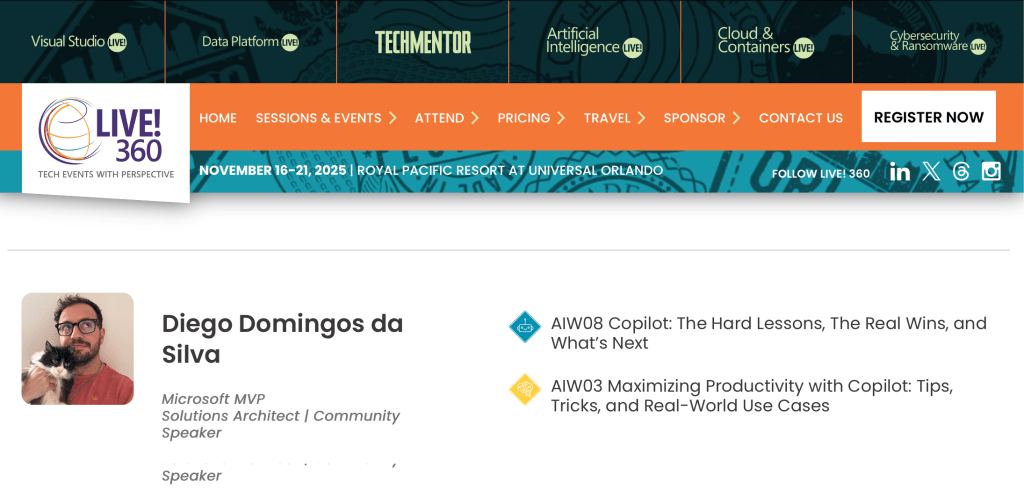
Maximizing productivity with Copilot: tips, tricks, and real world use cases
My morning session was supposed to be a structured walkthrough of Copilot productivity. Instead, it turned into a showcase of what happens when you present during a rollout. Features that worked the day before had shifted overnight. WiFi cooperated as much as it felt like. And I wanted attendees to see the real thing.
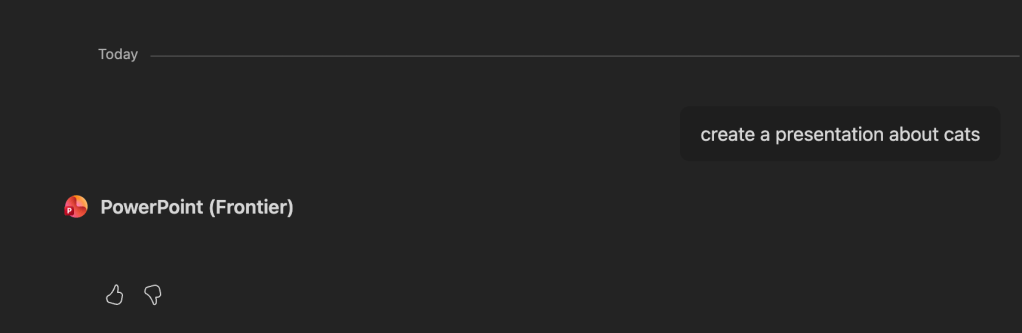
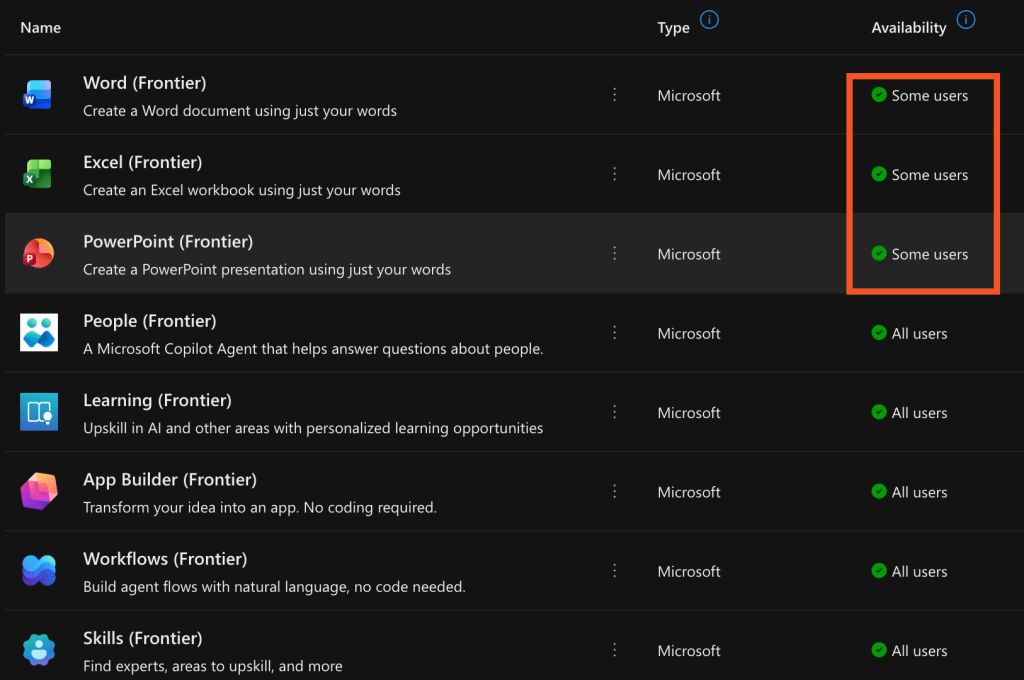
We covered how to actually get value from Copilot. Cleaner prompts. Shorter chats. File names that do not sabotage retrieval. We talked about the new Copilot Frontier program, Office Agents for Word, Excel, and PowerPoint, and what happens when the Anthropic model is disabled. Attendees got to see the early-stage Office Agent experience, the half-functional wizard-based deck creation, and why verification matters in a world where Copilot can generate very confident nonsense. Unfortunately, the demo had to be more about the Office Agent available using personal account, as all the Enterprise one generated was the below…
We also dug into SharePoint Advanced Management, including the site-level controls that decide what Copilot can and cannot read, the new metadata awareness, and what it means for real content quality. Even a single Copilot license can light up important controls that help you keep sensitive sites out of Copilot’s reach while still letting people get value from the rest of the tenant.
Then came one of my favorite moments. As I updated the session the night before, I realized the capability to pull images directly from the SharePoint Brand Center through Copilot chat in M365 apps had been quietly removed. It worked at my previous events. It did not work Tuesday anymore. Instead, Microsoft is now adding a new “Insert image” experience that has not fully rolled out yet but was announced in an Admin Center message (MC1169573) in October. Perfect timing for a live demo, and a perfect example of how fast things shift and why admins need to stay close to the message center and product blogs.
Copilot: the hard lessons, the real wins, and what is next
By the afternoon I knew my slides were outdated. Rather than pretend otherwise, I decided to go full live demo. No safety net. No carefully choreographed prompts. Just the reality of what Copilot looks like, one year in, right after Ignite.
This session focused on Copilot’s current state, the gaps everyone should be watching, the wins worth celebrating, and the governance that cannot wait. The new Agent 365 experience in the Microsoft 365 admin center took center stage. Attendees watched the agent count change in real time. We looked at how the same agent appears in Teams but not in the Copilot app.
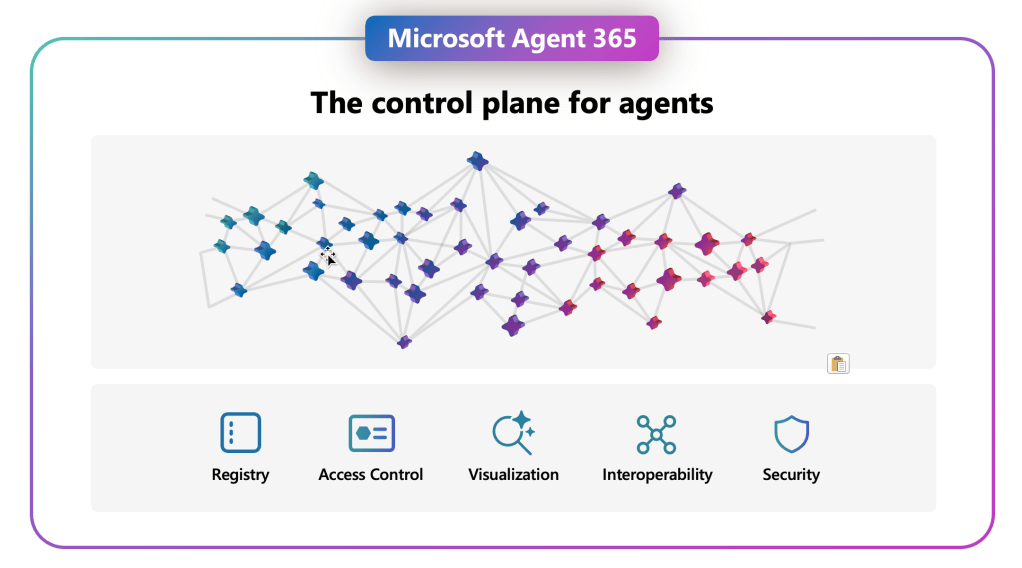
While governance is still one of my top interests, we walked through governance signals like ownerless agents and talked about lifecycle, access scopes, and the risk of agent sprawl. We also talked about how Agent 365 is starting to pull together inventory, analytics, and deployment controls, even though many links still bounce you into other admin centers. It is promising, but it is not “finished” by any stretch.
We compared the web and desktop versions of Office Agents and saw features appear and disappear between them. While Office Agents looked promising but also produced impressive nonsense. Beautiful slides with fabricated charts. Convincing citations from sources that did not exist. PowerPoint structure held together with text boxes and hope. It made for a great discussion about data grounding, why you still need to verify everything, and why brand templates and the SharePoint Brand Center are still essential if you want anything production ready.
We also talked licensing. Pay-as-you-go options, uneven access, governance concerns, and how organizations need clear policies before they flip any switches. Just because you can light something up does not mean you should.
This was the most unfiltered tech session I have delivered so far, and I hope it gave the audience exactly what they came for. At one point someone in the room said, “We are the beta testers,” and I just smiled and nodded because they were absolutely right. It ended up being my favorite comment of the entire event.
The challenge of presenting less than 24 hours after Microsoft Ignite
Microsoft Ignite dropped its announcements the day before my talks. I stayed up until way past 3 a.m. watching the keynote, reading the Book of News, and testing what had already hit my tenant. By morning, half my content no longer matched what attendees would see on screen.
At that point there was no point presenting information I knew was outdated. As a speaker, I felt a responsibility to give attendees the honest and candid version of what was happening, without the corporate fluff. If something shifted, we watched it shift together. If something broke, we talked about why (or at least what we tought about it). If something did not match the demo from Ignite, we looked at the real behavior in a real tenant instead of pretending everything was fine. In a way, the whole thing felt a little like a support group.
Going rogue was stressful, but it made the sessions better. And it gave people a realistic view of what it feels like to architect and administer Microsoft 365 right now, with features literally changing between the keynote and your next meeting. At the same time, I am also sick of slides (who isn’t) and I think I may use the experience of this event to shape my future sessions, so stay tuned!
Final thoughts from the stage (or from the Brightline train back to Miami)
Once again, I left Live! 360 genuinely impressed. This event is run by people who care about quality. The speaker support was strong. The attendee engagement was even stronger. These are people who are not theorizing about Microsoft 365. They are in the weeds every day building intranets, maintaining governance frameworks, deploying Copilot features, solving problems, and trying to keep up with constant change. Presenting to that kind of crowd is energizing.
The hallway conversations were incredible. People compared notes on rollouts, shared real failures, celebrated wins, and offered ideas freely. That is the best part of this community. And it is why events like Live! 360 matter so much, especially when the technology is changing faster than any one person can track alone.
If you sat in either of my sessions, thank you and please be in touch. I hope you walked away with new insights, a clearer understanding of what Copilot can and cannot do, and yes, probably a long homework list for when you get back to your tenant.
This experience pushed me in the best possible way and reinforced why this community means so much to me. The conversations, the challenges, the shared passion for making Microsoft 365 better, it all left me fired up for what comes next. With the holidays coming up, I am taking a short speaking pause, but I will be back in 2026 ready to hit the ground running.
 Unsuck Microsoft365